

Seedream 5 AI Image Generator

Describe the image you want to generate

Generate 1 images · 14 credits total

Getting Started with Seedream 5.0

Create AI girlfriend images with Seedream 5.0

Begin with a clear, detailed image brief, assign a specific purpose to each reference image in your final output, and tweak adjustments until the frame is polished enough to act as a review-ready asset at your preferred resolution.

01

Draft a detailed prompt that clearly outlines your image’s core objective

Identify your core subject, the overall scene, your desired final finish quality, and the exact review or campaign context the image will support.

02

Assign distinct roles to your reference images as you add them to your project

Give clear, distinct purposes to each reference image as you add them to your project. Include up to 14 reference images when multiple products, color palettes, or style details need to come together to create a single cohesive final result.

03

Adjust to create a review-ready final frame

Fine-tune composition, material details, and visual focus until the image flows seamlessly as a standalone campaign or product review asset.

Key Strengths of Seedream 5.0

Create AI girlfriend images with Seedream 5.0

Seedream 5.0 excels when multiple reference images combine to create a polished final image, when the output needs to feel campaign-ready immediately, and when you lean into the core workflows of the updated Seedream family.

Expanded multi-image support for organized mood boards

Seedream 5.0 is a top choice when multiple products, color palettes, or style details need to build a high-resolution mood board or campaign frame.

This makes it perfect for travel accessory bundles, full product lines, and larger brand system mood boards.
The workflow remains straightforward even when a single final image relies on multiple coordinated reference inputs.
It’s perfect for projects where a more limited single-reference workflow won’t fulfill your requirements.
Model reference image

A New Direction for Polished Campaign Visuals

Seedream 5.0 delivers top-tier results when you want the final image to feel more like a polished campaign review asset rather than a rough initial draft.

This is perfect for product launches, beverage brand campaigns, and commercial concept review assets.
It performs best when your prompt clearly defines the campaign’s context from the outset.
The final frame will appear more polished and ready for review when viewed at elevated resolutions.

Ideal for High-End Beauty and Close-Up Details

Seedream 5.0 excels at close-up commercial beauty visuals when the subject, product, color palette, and lighting are all tightly aligned.

This makes it an ideal fit for skincare, cosmetic, and luxury beauty campaign concepts.
It yields top-tier results when your prompt clearly defines both the product’s intended use and your desired final finish quality.
This model produces better results when your beauty brief remains focused and clear, rather than being overcrowded with conflicting details.
Model reference image

Perfect for Retail and Environmental Presentation Projects

Seedream 5.0 is also perfect for retail window displays, brand environments, and other presentation-focused concepts that need to appear polished for internal deck reviews.

This broadens its use cases beyond just standalone product visuals.
It yields top-tier results when you clearly define the materials, display elements, and desired brand mood from the outset.
The final image will remain presentation-ready without requiring an overly complex composition.
Best use cases

Best use cases for Seedream 5.0

Seedream 5.0 stands out when your workflow needs polished Seedream family features, high-resolution finished assets, and multiple reference images that collaborate to produce a single cohesive final image.

Campaign boards and key visuals

Leverage this tool for campaign mood boards, core brand visuals, and commercial draft assets that require a polished frame with space for further tweaks.

Multi-item product and brand systems

This tool is perfect for multi-product lines or brand systems where multiple products or design details need to merge into a single cohesive visual strategy.

Stylized commercial scenes

Incorporate Seedream 5.0 into stylized commercial imagery when you want the final output to feel polished, strategically curated, and fully ready for presentation.

High-resolution review images

Turn to this tool when high-resolution 2K or 4K review assets are your top priority, and you want the image to remain editable across multiple revision cycles.

Prompt Prompt Examples & Ready-to-Use Formulas

Prompt examples for Seedream 5.0

These examples center on polished multi-subject and commercial projects. Seedream 5.0 yields top-tier results when your prompt clearly defines what should appear in the frame and how the final image will fit into a review or campaign framework.

Product board

Leading prompt Alignment Benchmark Standards

Ideal for coordinated multi-item product mood boards that should feel brand-ready, instead of a disconnected collage.

A travel kit concept board featuring coordinated items, polished materials, and a neat review layout.

Travel kit concept board

Proven industry-standard Prompt best-practice generation workflow guide

[product family] + [layout] + [palette] + [materials] + [review-board mood]

Dive into Complete prompt Documentation and Technical SpecificationsReveal Full Comprehensive Breakdown

Detailed prompt Breakdown and Overview

Generate a premium travel kit concept board featuring a carry-on bag, accessory pouch, passport sleeve, and neck pillow. Utilize a warm taupe, charcoal, and brushed silver color scheme, adopt a clean top-down layout, and lean into a polished review-board vibe perfect for a luxury travel brand’s strategy deck.

Core Functional Components That Enable This Prompt To Deliver Standout, High-quality Outputs

Seedream 5.0 stands out when multiple objects are cohesive under a single color scheme and a consistent board-style layout.

Desired Final Generated Project Outcome

A cohesive brand board for product family review and campaign planning.

Expert Insider Tips for Creative Industry Professionals

  • Include the full product line to ensure the mood board feels cohesive and purposeful.
  • Stick to one clean board layout rather than multiple disconnected scenes.
Campaign concept

Leading prompt Alignment Benchmark Standards

Perfect for commercial beverage visuals that require a polished finish, vibrant energy, and sharp high-resolution results.

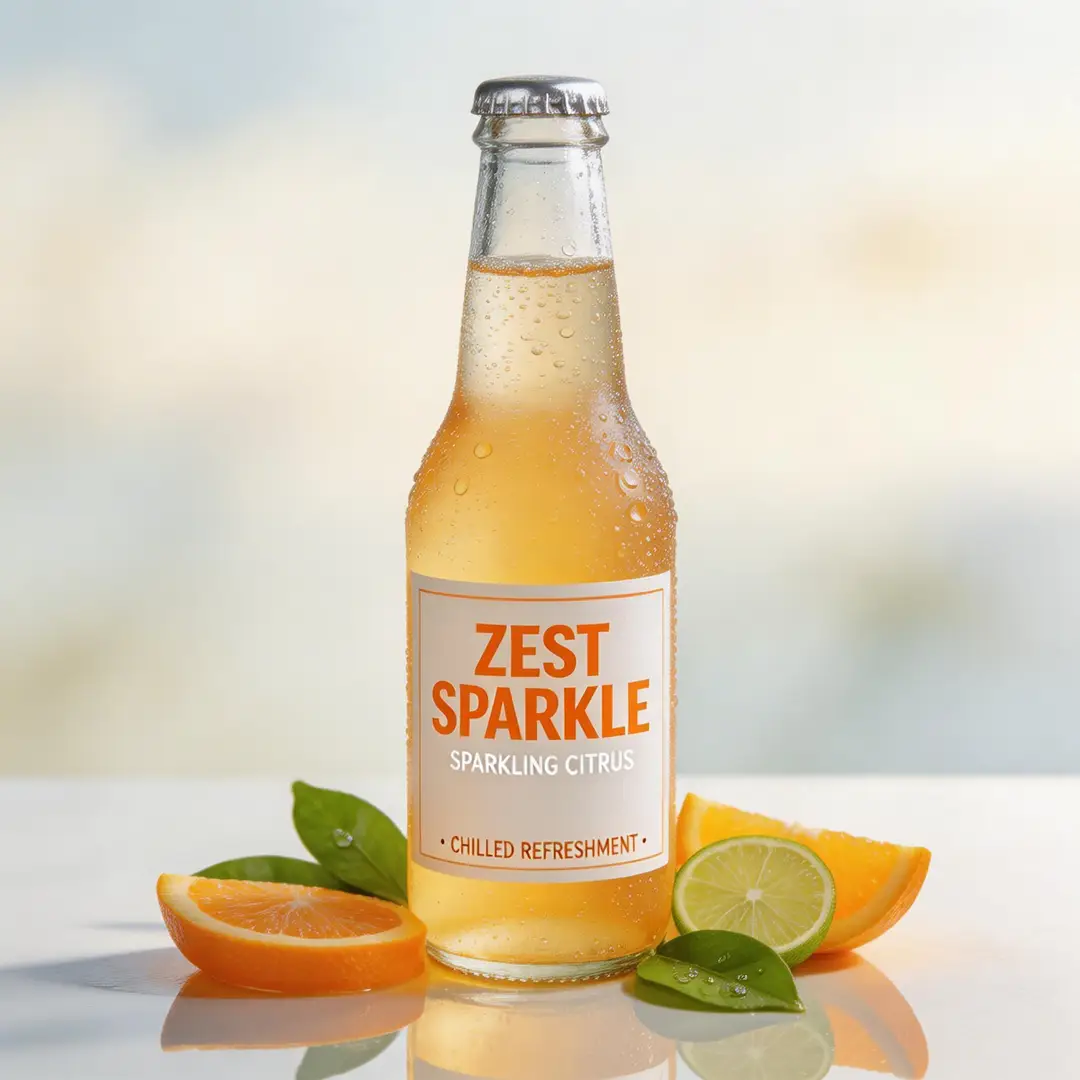
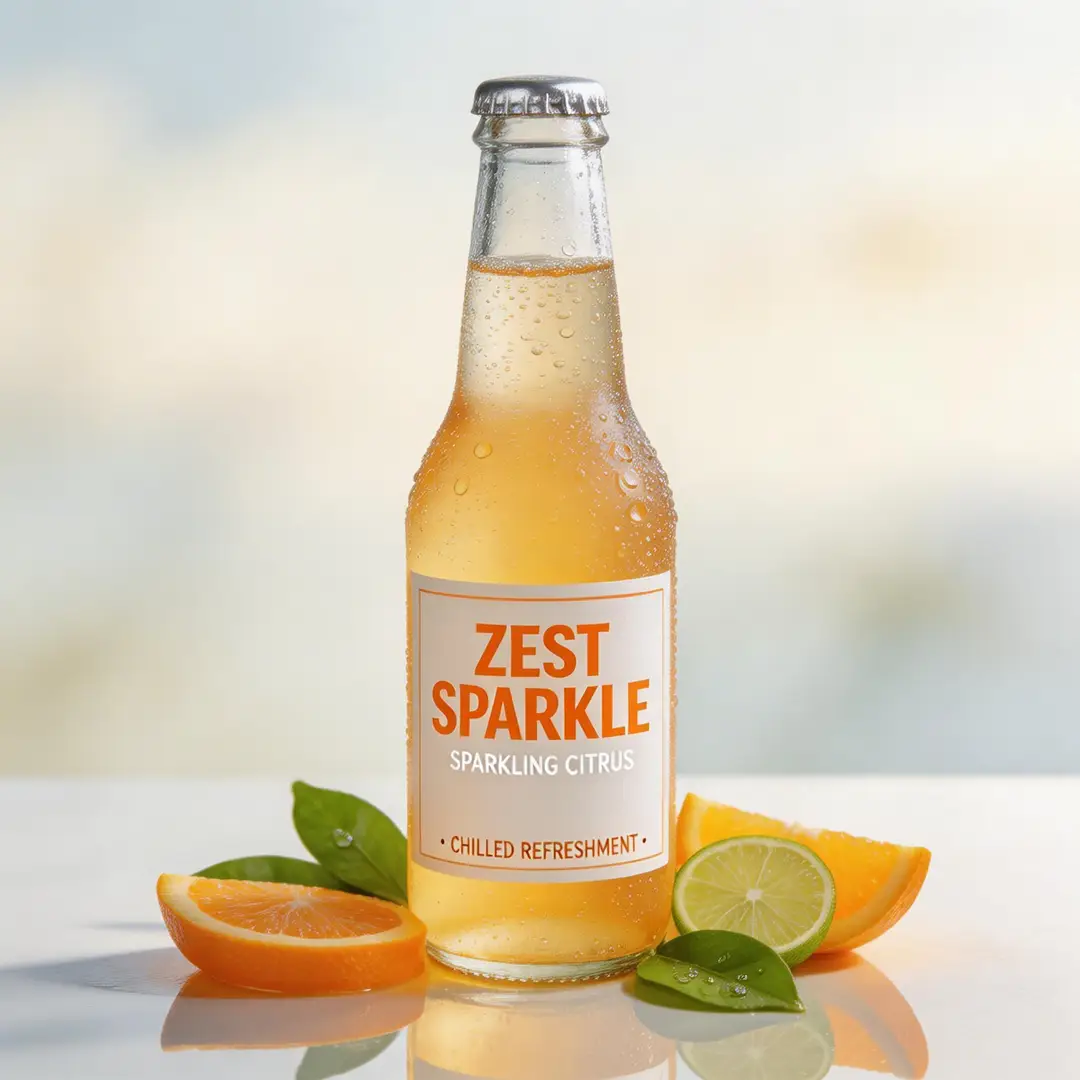
A high-detail beverage campaign frame featuring polished lighting and robust commercial energy.

High-detail beverage campaign frame

Proven industry-standard Prompt best-practice generation workflow guide

[product] + [hero setup] + [palette] + [light] + [campaign tone]

Dive into Complete prompt Documentation and Technical SpecificationsReveal Full Comprehensive Breakdown

Detailed prompt Breakdown and Overview

Generate a high-detail beverage campaign frame for a sparkling citrus soda. Feature a single chilled bottle covered in cool condensation, bright citrus garnishes, subtle reflective highlights, and a crisp premium summer campaign vibe. The final image should feel polished and ready for review at high resolution.

Core Functional Components That Enable This Prompt To Deliver Standout, High-quality Outputs

Your prompt provides Seedream 5.0 a single focal product, a clear lighting narrative, and a defined commercial context, which helps keep the final frame focused and ready for review.

Desired Final Generated Project Outcome

A polished beverage campaign draft for brand review and launch preparation.

Expert Insider Tips for Creative Industry Professionals

  • Place the hero product as the focal point when generating a campaign-focused image.
  • Connect the entire frame to one seasonal or brand-aligned vibe.
Beauty visual

Leading prompt Alignment Benchmark Standards

Ideal for beauty and skincare visuals that require sharp, crisp detail and a luxury commercial vibe.

A beauty close-up campaign image featuring premium lighting, controlled detail, and a polished commercial finish.

Beauty close-up campaign image

Proven industry-standard Prompt best-practice generation workflow guide

[subject] + [product or skin detail] + [light] + [palette] + [editorial-commercial tone]

Dive into Complete prompt Documentation and Technical SpecificationsReveal Full Comprehensive Breakdown

Detailed prompt Breakdown and Overview

Generate a beauty close-up campaign image of a model holding a glass serum bottle near their cheek. Use soft side lighting, warm ivory and sage color tones, crisp skin detail, and a polished editorial-commercial vibe perfect for a luxury skincare campaign review.

Core Functional Components That Enable This Prompt To Deliver Standout, High-quality Outputs

Seedream 5.0 excels at this type of polished commercial beauty brief when the subject, product, and color direction are tightly aligned.

Desired Final Generated Project Outcome

A high-end beauty campaign concept for review and direction alignment.

Expert Insider Tips for Creative Industry Professionals

  • Stick to a constrained color palette to ensure skin tones and product details remain cohesive.
  • Define your desired campaign finish quality, not just the core subject of the image.
Brand environment

Leading prompt Alignment Benchmark Standards

Perfect for branded retail and space concepts that require a polished and ready look for internal review.

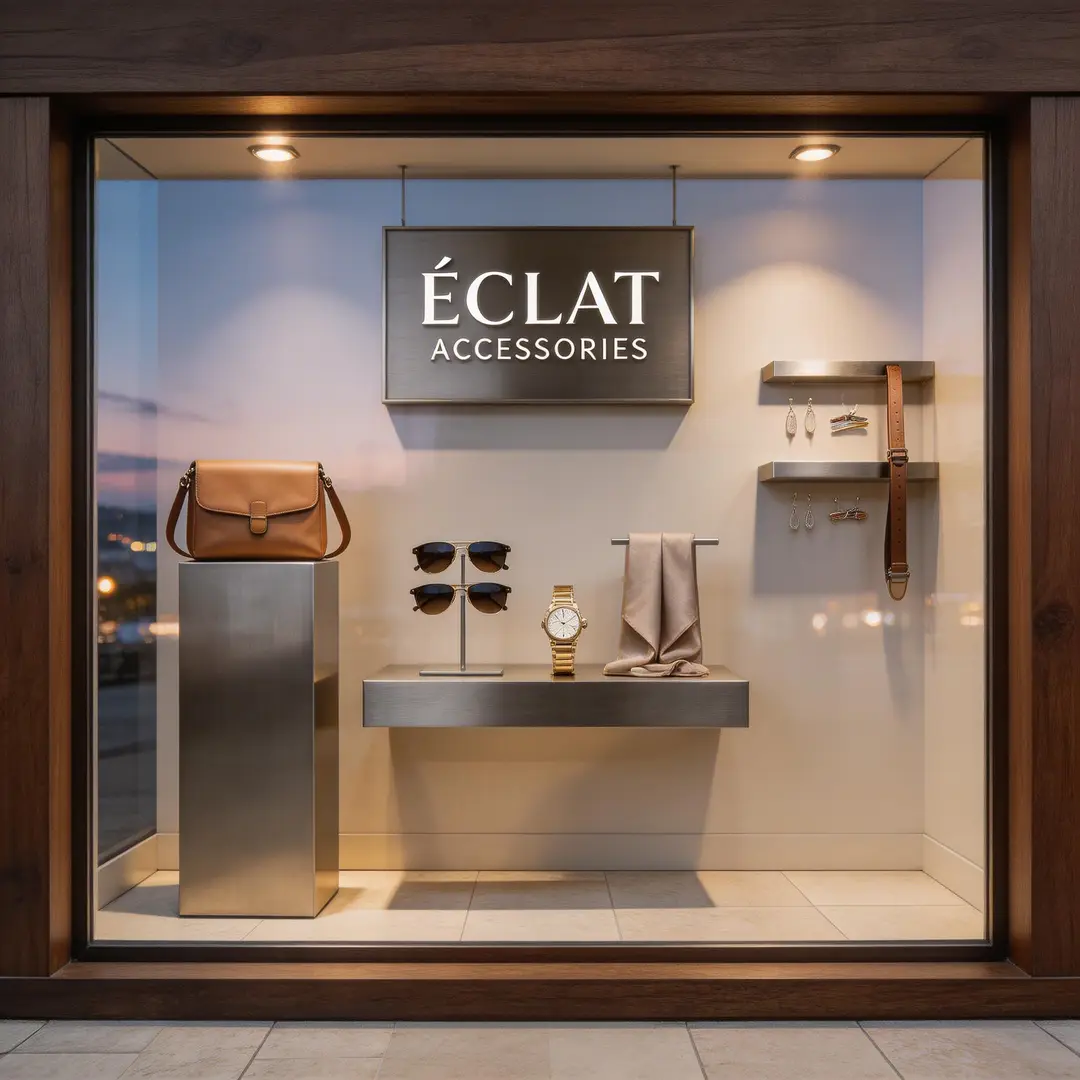
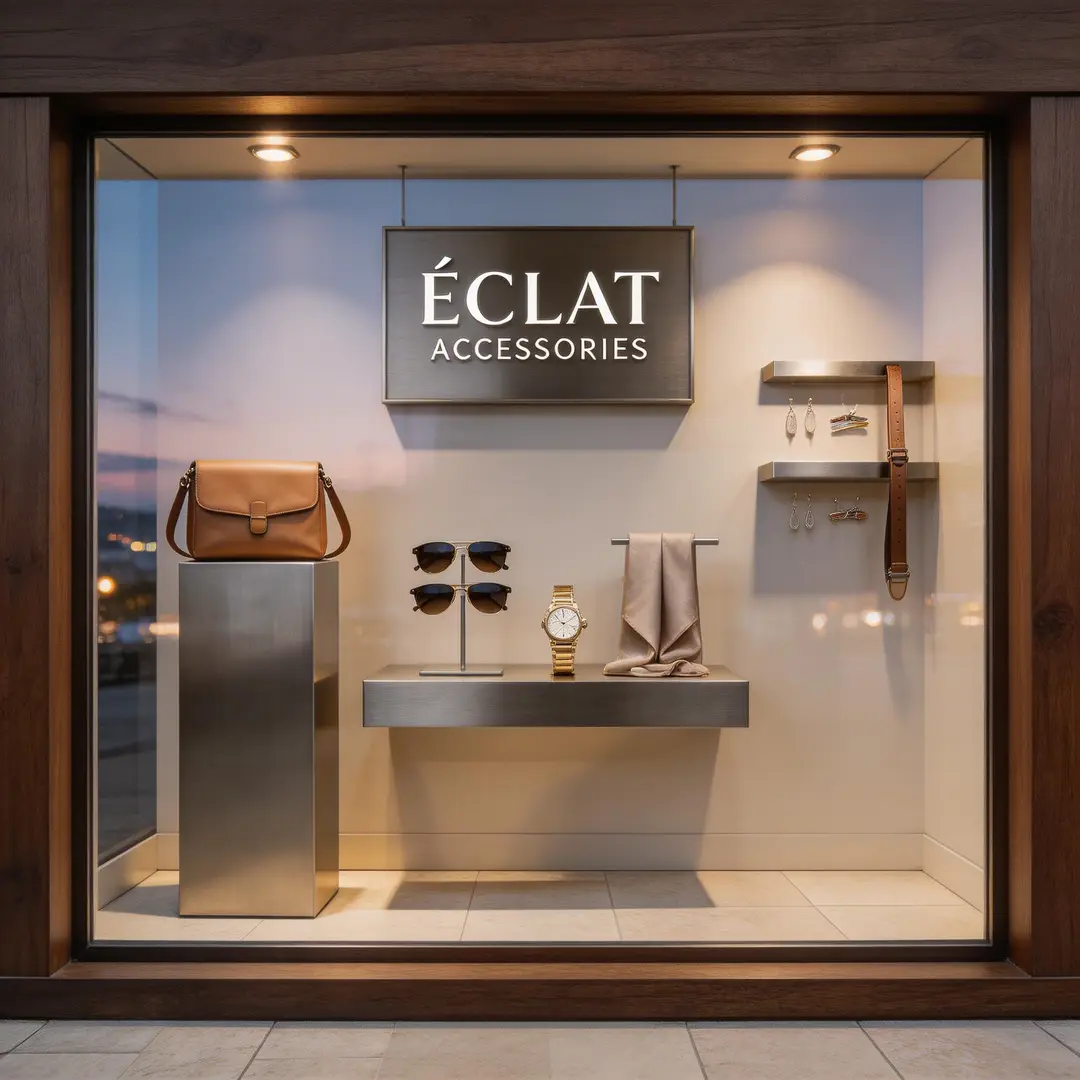
A retail window concept frame featuring polished materials, neat display composition, and a brand-ready atmosphere.

Retail window concept frame

Proven industry-standard Prompt best-practice generation workflow guide

[store or environment] + [display elements] + [materials] + [light] + [brand mood]

Dive into Complete prompt Documentation and Technical SpecificationsReveal Full Comprehensive Breakdown

Detailed prompt Breakdown and Overview

Generate a premium retail window concept for a modern accessories brand. Utilize dark walnut framing, brushed metal display pieces, pale stone flooring, soft evening lighting, and a polished brand presentation vibe. The final scene should feel ready for an internal retail review deck.

Core Functional Components That Enable This Prompt To Deliver Standout, High-quality Outputs

Your prompt provides Seedream 5.0 a clear environment, a defined material narrative, and explicit review context, which keeps the final image commercial and tightly managed.

Desired Final Generated Project Outcome

A polished retail space concept for brand and visual merchandising review.

Expert Insider Tips for Creative Industry Professionals

  • Map out the core display materials first before adding atmospheric details.
  • Frame the scene as a review asset if you want the final output to feel fully presentation-ready.
When to Pick Seedream 5.0

When to choose Seedream 5.0

Seedream 5.0 is the ideal pick when your workflow needs updated Seedream family features, expanded multi-image input options, and polished high-resolution results all in one unified hosted page.

Choose Seedream 5.0 When Multiple Inputs Need to Contribute to a Single Cohesive Final Image

Leverage this tool for campaign mood boards, full product lines, brand systems, and any project where both multiple reference images and polished review-ready results are top priorities.

Choose a Different Model When a Different Workflow Strength Is a Top Priority

Select Seedream 4.5 if sharp, high-resolution polish is your top priority. Choose Seedream 4 if you want the more established earlier Seedream workflow, and go with Seedance Pro when structured, text-focused prompt prompts form the most critical part of your project.

Creator & Community Insights

Community proof and model context

These videos share independent creator perspectives on the updated Seedream family. They’re helpful for seeing firsthand how other creators evaluate Seedream 5.0’s updated features, expanded multi-image support, and how it compares to other hosted image generation tools.

Curated Showcase of AI Video Generation Works

FAQs

FAQ

Helpful information about SexyGF

What is the Seedream 5.0 AI girlfriend image generator?

It is the SexyGF AI model page for Seedream 5.0 with a real image flow. It answers searches for AI girlfriend portraits, style variations, and prompt tests.

Does Seedream 5.0 run on SexyGF AI right now?

Yes. We keep model pages that enter the generator. Model keywords that cannot run are removed from public pages, the sitemap, and locale messages.

How do I get better AI girlfriend images with Seedream 5.0?

Describe apparent age, hair, outfit, camera, light, mood, and background. With a reference, keep the character consistent first, then change style or pose.

Can I use references with Seedream 5.0?

These sections focus on visual AI girlfriend images: fictional portraits, style variations, and prompt tests.

Is this page focused on AI girlfriend images?

This page is for keyword intent, prompt tests, reference iteration, and a working SexyGF AI generator.

What should I try next after Seedream 5.0?

Use the related pages when you want a different balance of speed, detail, or reference consistency.

Need help with billing, prompts, or generation limits? Reach out and we’ll help.

Related Image Models

Compare related AI girlfriend models

If Seedream 5.0 isn’t the right match for your project, compare it to these model pages to find a different Seedream family variant, an alternative high-fidelity workflow, or a tool with more robust text-focused editing.

Seedream 4.5 AI Image Generator

Test Seedream 4.5 if sharp, high-resolution polish is your top reason for choosing an image generator.

Seedream 4.0 AI Image Generator

Compare against Seedream 4 if you want the more established earlier Seedream workflow on this platform.

Seedance Pro Image Generator

Test Seedance Pro if you want an alternative high-fidelity hosted workflow for structured creative prompt prompts.

Flux 2 Pro AI Image Generator

Compare against Flux 2 Pro if you want a hosted workflow with a distinct polished visual style that stands out from Seedream 5.

Keep exploring from this page

Launch the generator, begin with a clear campaign or review brief, and use Seedream 5.0 to access updated high-resolution multi-image creation on this page.